

Jean-Baptiste Lallement
12 October 2026
Myna speech-to-text is now available as a technology preview
A few months ago, we introduced Myna, our project to bring private, local speech-to-text dictation to Ubuntu Desktop. Named after the speech-mimicking myna bird, Myna is an optional Ubuntu 26.10 feature that offers real-time visual feedback during speech recognition.
Since then, Myna has grown into something you can install and use on your desktop.
Today, we’re making it available as a technology preview to the wider Ubuntu community. Whether you regularly rely upon speech-to-text dictation, or only use it for certain use cases, we want to hear your feedback.
Myna is still under active development, so you should expect some rough edges. The core experience is there: press a shortcut, speak, and Myna transcribes directly into the application you’re using.
Local speech-to-text
Speech recognition runs entirely on your machine. Once a model has been downloaded, no internet connection is required for transcription, and your audio is not uploaded or stored.
Myna supports several speech recognition engines, including Parakeet, Whisper, and FunASR, each with different trade-offs in language support, accuracy, and hardware requirements.
Trying Myna
Myna is currently available on Ubuntu 24.04 LTS, Ubuntu 26.04 LTS, and Ubuntu 26.10, on amd64 and amd64v3, using GNOME on Wayland.
To install the preview, run:
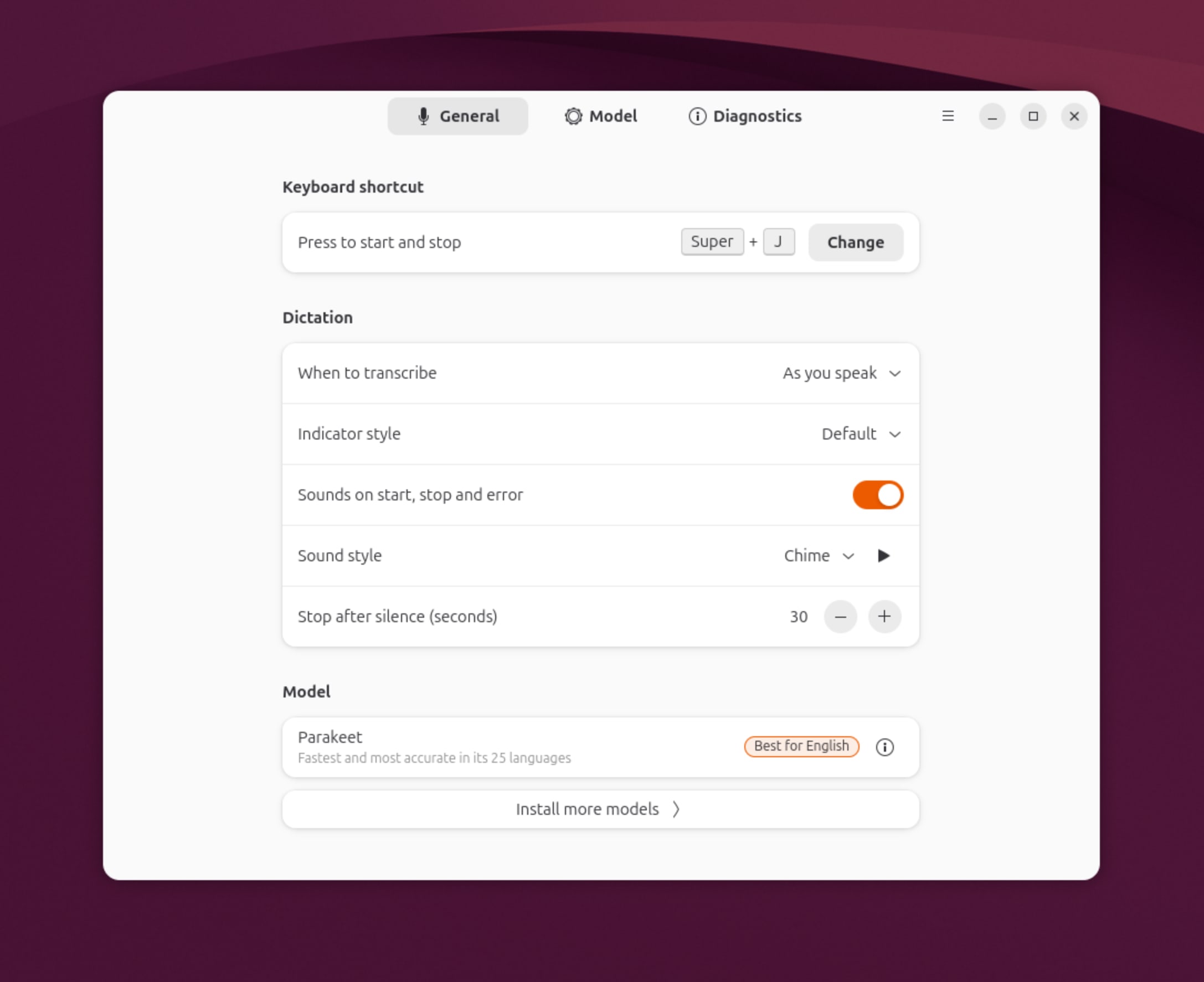
sudo add-apt-repository ppa:canonical-desktop-team/mynasudo apt install myna-configThen open Myna settings from Activities and follow the setup.
If you have a supported NVIDIA GPU, Myna can also offer a GPU-accelerated engine. Support for additional accelerators is planned.
Once setup is complete, put the cursor in a text field, press the configured hotkey, and start talking.
What we’d like you to try
Use Myna with the applications you normally use, in your native language or any language with your natural accent.
We’re particularly interested in feedback on:
- Transcription quality
- Responsiveness
- Language and accent support
- Application compatibility
- Setup and onboarding
- Anything that feels awkward or unexpected
Different machines and microphones are useful too, as we want to understand how well the current models and defaults behave across a broad range of Ubuntu systems.
For now, Myna is deliberately focused on dictation. It is not a voice assistant and does not control the desktop through voice commands.
Get involved
Myna is developed in the open at github.com/canonical/myna.
You can:
If speech-to-text is something you rely on, we’re especially interested in hearing about your experience and what is still missing.
Thanks to everyone who has already tested Myna and shared feedback with us.


